

Get $100 from PGE for signing up!
It pays to participate in Energy Partner Smart Thermostat. Join a growing community of PGE commercial customers earning rewards for using less energy and supporting Oregon’s clean energy future. If you have central air conditioning, an installed Wi-Fi network, a ducted heat pump or an electric furnace, you can earn rewards by signing up for our program today.
Get $100 from PGE for signing up!
It pays to participate in Energy Partner Smart Thermostat. Join a growing community of PGE commercial customers earning rewards for using less energy and supporting Oregon’s clean energy future. If you have central air conditioning, an installed Wi-Fi network, a ducted heat pump or an electric furnace, you can earn rewards by signing up for our program today.
How the Energy Partner Smart Thermostat program works
You don’t have to do anything! During peak periods of energy demand, such as exceptionally hot days or cold mornings, PGE will announce a Peak Time Event. During these times, your thermostat will automatically adjust slightly. This helps reduce energy consumption when demand is highest, supporting sustainable energy practices and keeping prices lower for everyone. Once the event concludes, your thermostat will return to its original settings. You have full control to adjust settings at any time. Get started by signing up below. Learn more about the Energy Partner Smart Thermostat program
• Receive $100 from PGE when you successfully sign up for the Energy Partner Smart Thermostat program.
• You’ll receive $60 per participating site if you don’t override more than 50 percent of a season’s event hours.
• Typically, there are 5 to 6 events during the winter season, each lasting no more than 4 hours.
• Peak Time Events can happen at any time.
• Opt-out of an event by adjusting the temperature on your thermostat.
How to Enroll
Enrolling is simple. Review the images below and ensure your admin account is configured properly. Then click the “Sign Up!” button, where you’ll be asked to enter your Pelican thermostat serial number(s), agree to the terms, and verify that your enrollment details are accurate. You can locate the serial number by checking the bottom of your thermostat or removing the face plate from the wall and checking the back of the face plate.
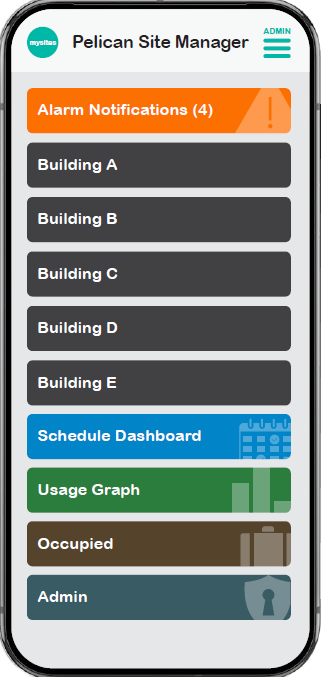
The “Admin” section offers advanced configuration management, including setup and integration of Demand Response programs with utility providers.
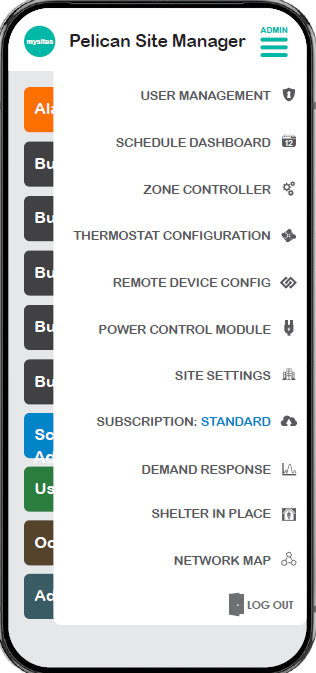
Select “Demand Response”
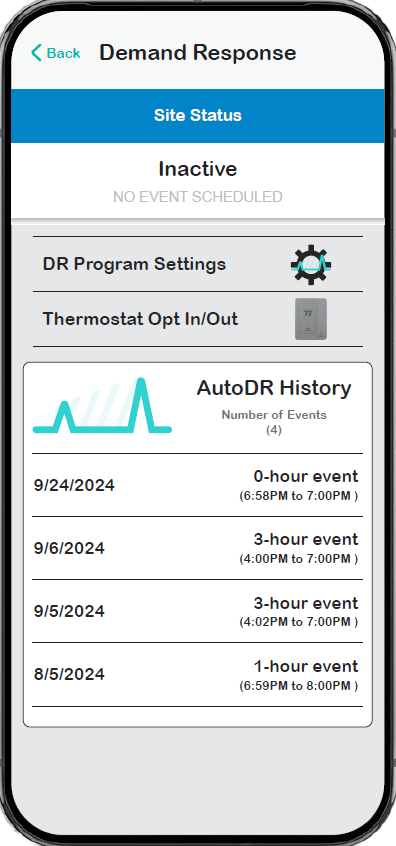
Select the DR Program Settings ‘gear’ icon to find and opt in to the Demand Response program.
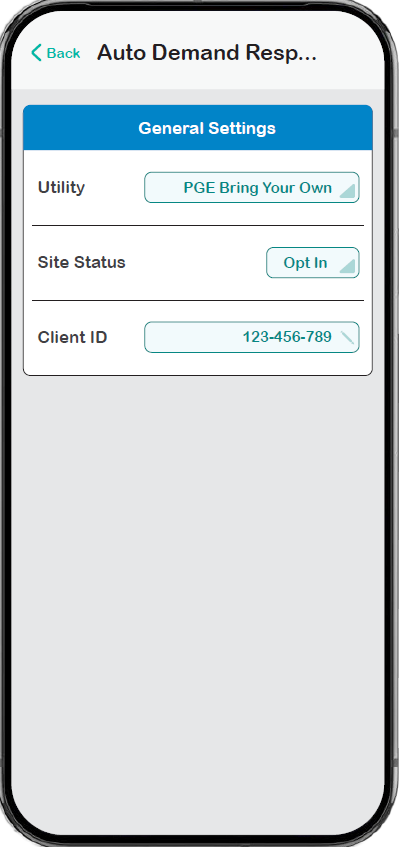
In the DR Program Settings, you can select programs available in your zip code that Pelican has connected to. For ‘Utility’ be sure to select “PGE Bring Your Own.” Under ‘Site Status’ select “Opt In.” Ensure your ‘Client ID’ is correct.
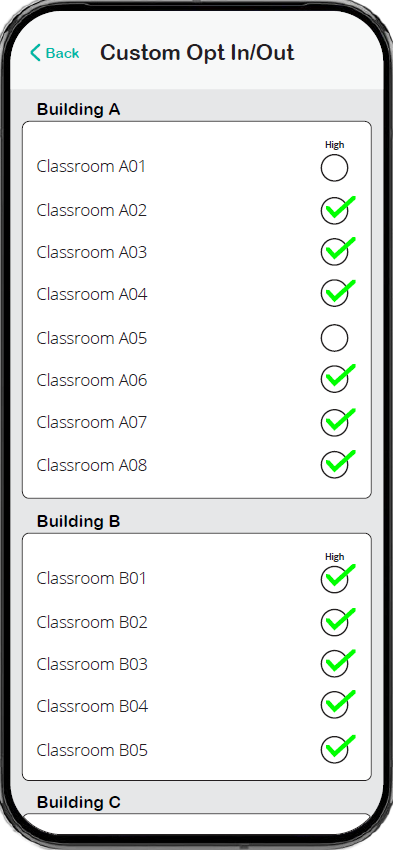
In the Thermostat Opt-In/Out section, select which thermostats participate in DR Events and which remain in normal operation.